
Welcome to our comprehensive guide on data cable types in Kapiti! Whether you’re setting up a new home network or upgrading your business infrastructure, we’re here to help you navigate the best cabling options for your needs. Explore expert advice, local insights, and practical tips to ensure your connectivity is fast, reliable, and future-proof. Let’s get started on creating the perfect network setup for your property on the Kapiti Coast.
Table of Contents
Key Takeaways
- On the Kāpiti Coast, the most common data cable types are Cat5e, Cat6, Cat6A, and fibre optic, each suited to different speeds, distances, and budgets.
- For most 2025 Kāpiti homes connected to fibre internet (300–900 Mbps plans), Cat6 is the sensible default choice that avoids costly re-cabling later.
- Fibre optic and shielded copper cables are better suited for commercial properties, long outdoor runs, or specialist installations with high interference risks.
- Local Kapiti electricians and data cabling technicians can design, supply, install, and certify structured cabling to meet NZ standards and support future upgrades.
- Before buying any cable or hardware yourself, contact a local Kāpiti cabling specialist for a free quote or site visit to ensure you get the right solution for your property.
What “Data Cable Types” Means on the Kāpiti Coast
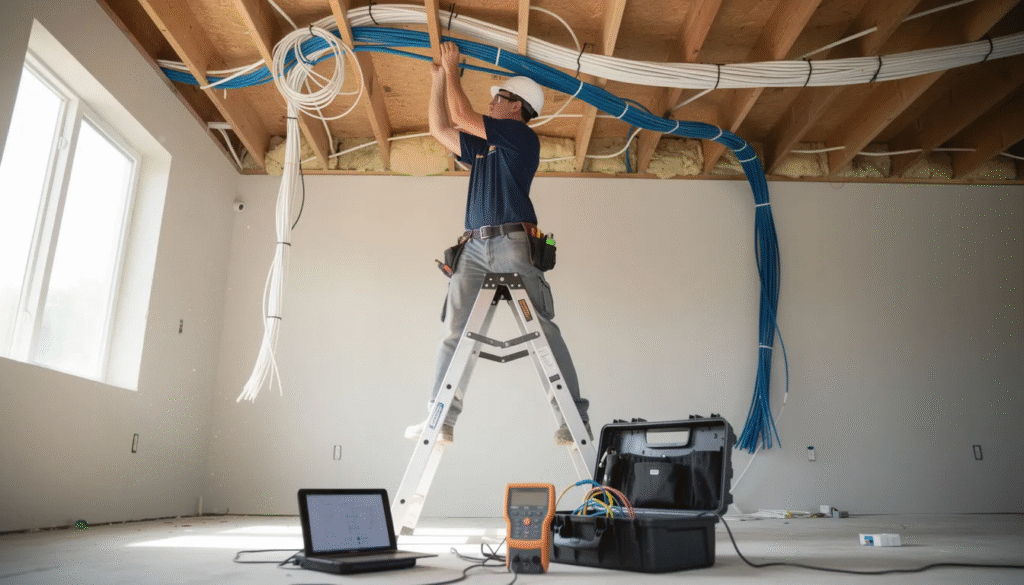
Data cabling refers to the fixed network wiring that connects your devices to the internet, phone systems, security cameras, and smart home technology throughout your house or business. Unlike the wireless signals from your modem, these physical cables deliver consistent speeds without dropouts or interference from walls and appliances.
When people search for “data cable types Kapiti,” they’re typically looking at twisted-pair Ethernet cables (Cat5e, Cat6, Cat6A) and fibre optic runs used between rooms and central network hubs. These cables form the backbone of any reliable home or office network, connecting everything from your computer in the home office to the TV in the living room.
Both residential properties across the Kapiti Coast—including Ōtaki, Waikanae, Paraparaumu, Raumati, and Paekākāriki—and commercial spaces like shops, offices, and warehouses benefit from properly planned data cabling. Whether you’re putting together a simple setup for working from home or developing a complete network for a busy office, understanding your cable options is the first step.
Main Data Cable Types Used in Kapiti Homes and Businesses
Choosing the right cable type doesn’t need to be complicated. This section compares the common categories by speed, cost, and best use in plain language so you can identify which option fits your needs.
Cat5e Cable
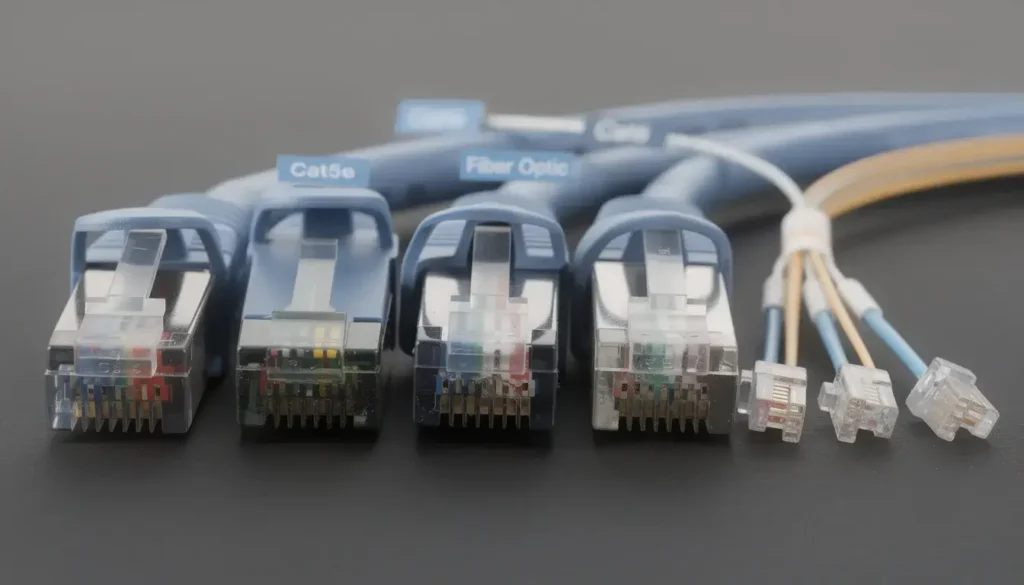
Cat5e (Category 5 enhanced) is the older standard you’ll find in many existing Kāpiti homes built or wired before 2015. It supports speeds up to 1 Gbps over runs up to 100 metres, which is fine for basic streaming, web browsing, and light office work.
However, Cat5e is less future-proof if you plan to upgrade to 10 Gbps network equipment down the track. If your house already has Cat5e and it’s working well, there’s no urgent need to rip it out—but for new work, it’s worth stepping up to Cat6.
Cat6 Cable
Cat6 is the recommended standard for most 2025 installations on the Kapiti Coast. It comfortably handles 1 Gbps over the full 100-metre Ethernet limit and can support 10 Gbps over shorter runs (typically up to 55 metres).
This cable type strikes the ideal balance between cost and performance for renovations and new builds. If you’re on a fibre plan delivering 300–900 Mbps, Cat6 ensures your internal wiring won’t become a bottleneck when faster plans become available.
Cat6A Cable
Cat6A (Category 6 Augmented) is thicker and better shielded than standard Cat6. It delivers full 10 Gbps speeds over the complete 100-metre distance, making it ideal for commercial fitouts, server rooms, or high-end smart homes with network cabinets.
The trade-off is higher cost and slightly more challenging installation due to the thicker cable. For most Kāpiti homes, Cat6A is overkill—but for a business running multiple devices, VoIP phones, and cloud apps, the extra investment often makes sense.
Fibre Optic Cable
Fibre optic cables use light rather than electrical signals to transmit data, offering extremely high speeds and complete immunity to electrical interference. In Kāpiti properties, fibre is typically used for backbone links between floors, outbuildings, or network cabinets rather than individual room runs.
Fibre requires specialist termination equipment and skills, so installation costs more than copper alternatives. But for long outdoor runs to a shed or sleepout, or for connecting buildings across a commercial site, fibre is often the best results option.
Specialty Cables for Coastal Kāpiti
The salt air and UV exposure in coastal suburbs like Raumati Beach and Paekākāriki can degrade standard cables over time. Outdoor-rated, UV-resistant, or gel-filled cables protect against moisture and sun damage, while shielded (FTP/STP) cable helps in areas with heavy electrical interference from machinery.
How to Choose the Right Data Cable Type in Kapiti
The “best” cable depends on your internet speed, building layout, and how long you plan to stay in the property. There’s no one-size-fits-all answer, but a few guidelines make the decision straightforward.
For most Kāpiti homes on fibre plans (300–900 Mbps): Cat6 is the default choice. It handles current speeds comfortably and protects your investment when faster plans arrive. The cost difference over Cat5e is minimal for new installations.
For Kāpiti offices, medical clinics, and workshops: Consider Cat6 or Cat6A with fibre backbones for critical links. Multiple computers, VoIP phone systems, and cloud apps all benefit from higher-capacity cabling that won’t struggle under load.
For new builds from 2024 onward: Run Cat6 to every main room, plus spare runs to TV walls and potential home office spaces. The cost of adding extra cable during construction is a fraction of retrofitting later.
For long outdoor or shed runs in coastal suburbs: UV-rated or conduit-protected cable is usually more important than full shielding. Get advice from a professional installer who understands Kāpiti’s coastal conditions.
A local Kāpiti cabling installer can assess existing wiring, test current speeds, and recommend upgrade paths. Sometimes reusing existing Cat5e in walls while upgrading key links to Cat6 delivers the best value without complete rewiring.
Common Data Cabling Setups on the Kāpiti Coast
Most Kāpiti properties follow a similar pattern: the fibre ONT (Optical Network Terminal) and modem sit in a central location, with cable runs extending to various rooms and returning to a patch panel or network switch.
Standard Home Layout
A typical residential setup runs Cat6 from the ONT/router location—often in the lounge, hallway cupboard, or garage—out to:
- Living room TV and entertainment area
- Home office or study
- Kids’ bedrooms (for gaming and study)
- Ceiling-mounted Wi-Fi access points in hallways
- Security camera locations around the property
This approach keeps your wireless network free for phones and tablets while wired devices enjoy consistent speeds without dropouts.
Small Business Layout
Commercial setups in Kapiti—whether retail shops, professional offices, or warehouses—typically need more outlets and higher-capacity cabling:
- Cat6/Cat6A to every desk position
- Dedicated runs for meeting room displays and video conferencing
- Printer and scanner connections
- POS (point of sale) systems
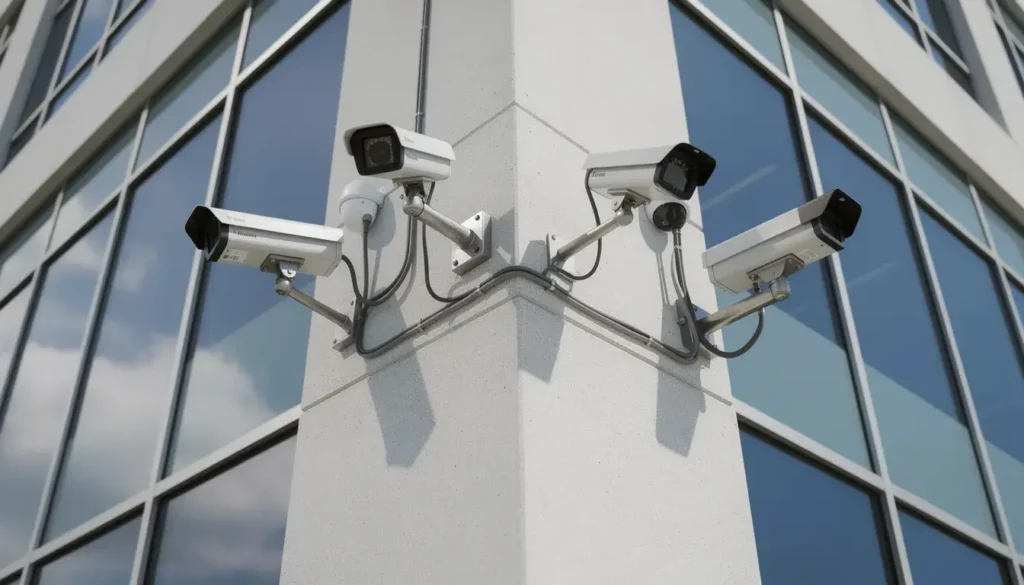
- PoE-powered security cameras feeding back to an NVR
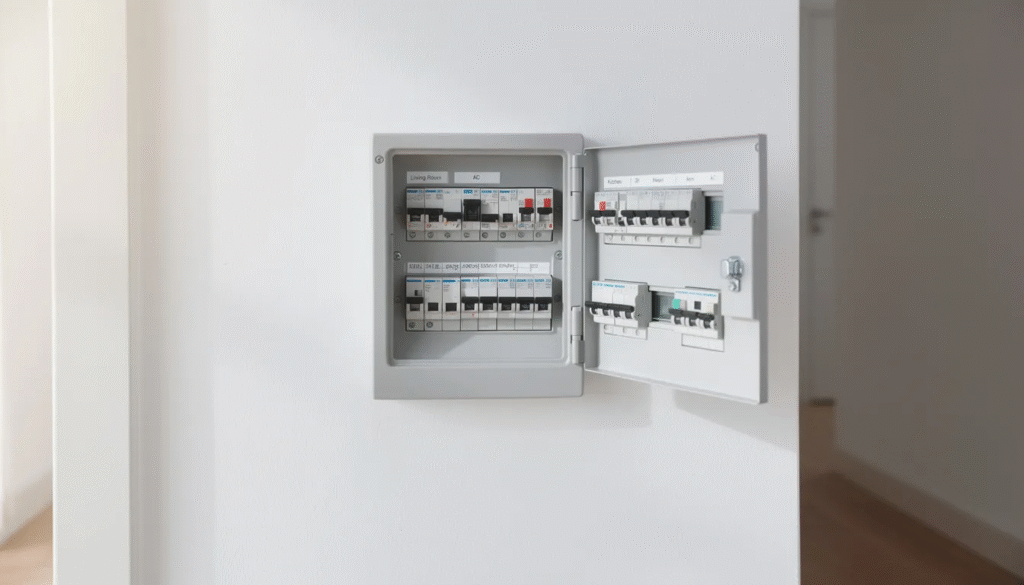
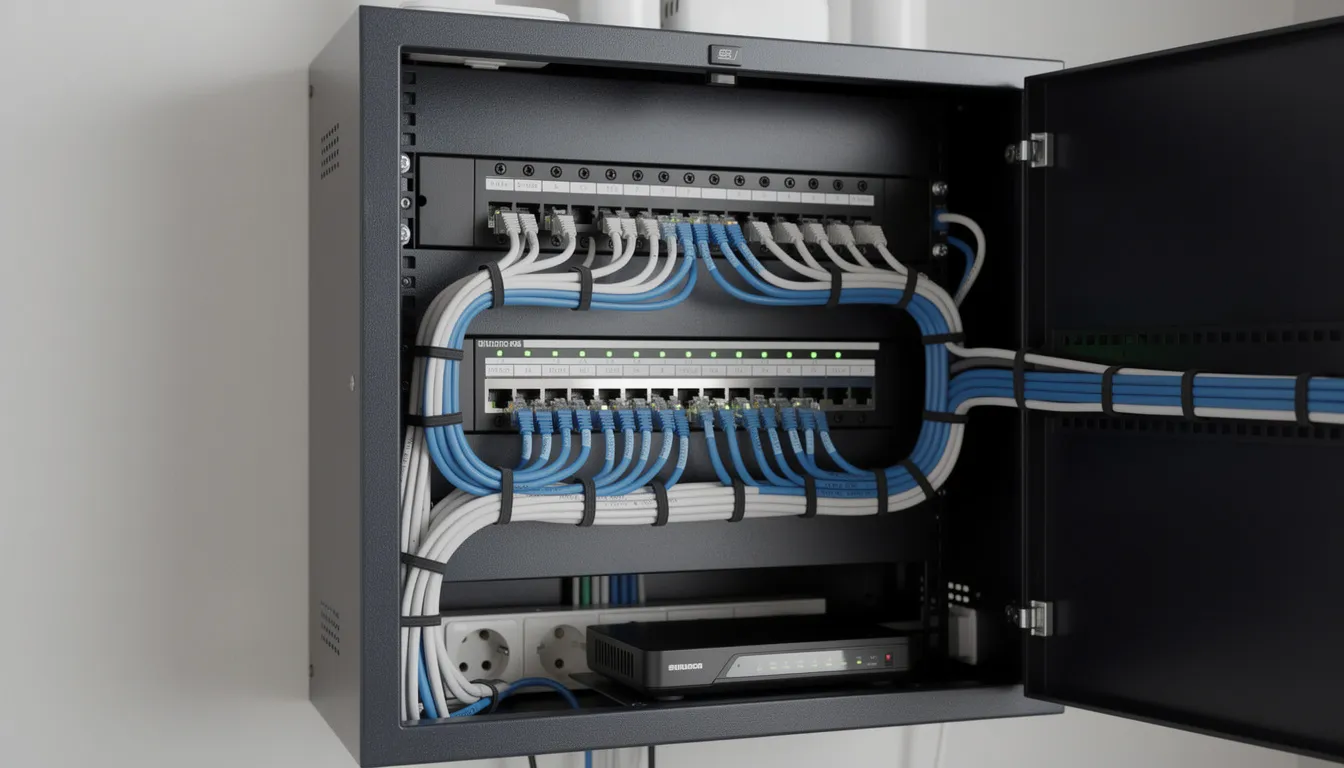
- A central comms rack with patch panel, switch, and power protection
Sheds, Sleepouts, and Separate Offices
Many Kāpiti properties include detached buildings that need network access. Your options include:
| Method | Best For | Considerations |
|---|---|---|
| Buried conduit with Cat6 | Runs under 100m | Requires trenching, protected from damage |
| Aerial cable | Short spans between buildings | Must be rated for outdoor use |
| Fibre optic | Very long runs or high interference areas | Higher install cost, specialist termination |
During renovations or new builds, plan extra outlets and spare runs. Adding a data point near each TV location and potential desk area costs little during construction but saves significant expense later.
DIY vs Professional Data Cabling in Kapiti
Some Kāpiti homeowners consider running their own cables—perhaps a single Cat6 run from the lounge to a spare room. Others prefer a fully certified professional install. Both approaches have their place.
When DIY Makes Sense
- Simple runs of 10–20 metres to a single room
- Tech-savvy homeowners comfortable with basic tools
- Accessible routes (underfloor or roof space with clear access)
- Budget constraints and willingness to learn
Materials are readily available from local stores like Mitre 10 in Paraparaumu, and plenty of online guides exist for basic terminations.
When DIY Becomes Problematic
- Risk of damaging cable during installation (sharp bends, staples through insulation)
- Poor terminations that cause intermittent faults
- Running data cables too close to power cables, creating interference
- Untidy wall plates and visible cables that reduce property appeal
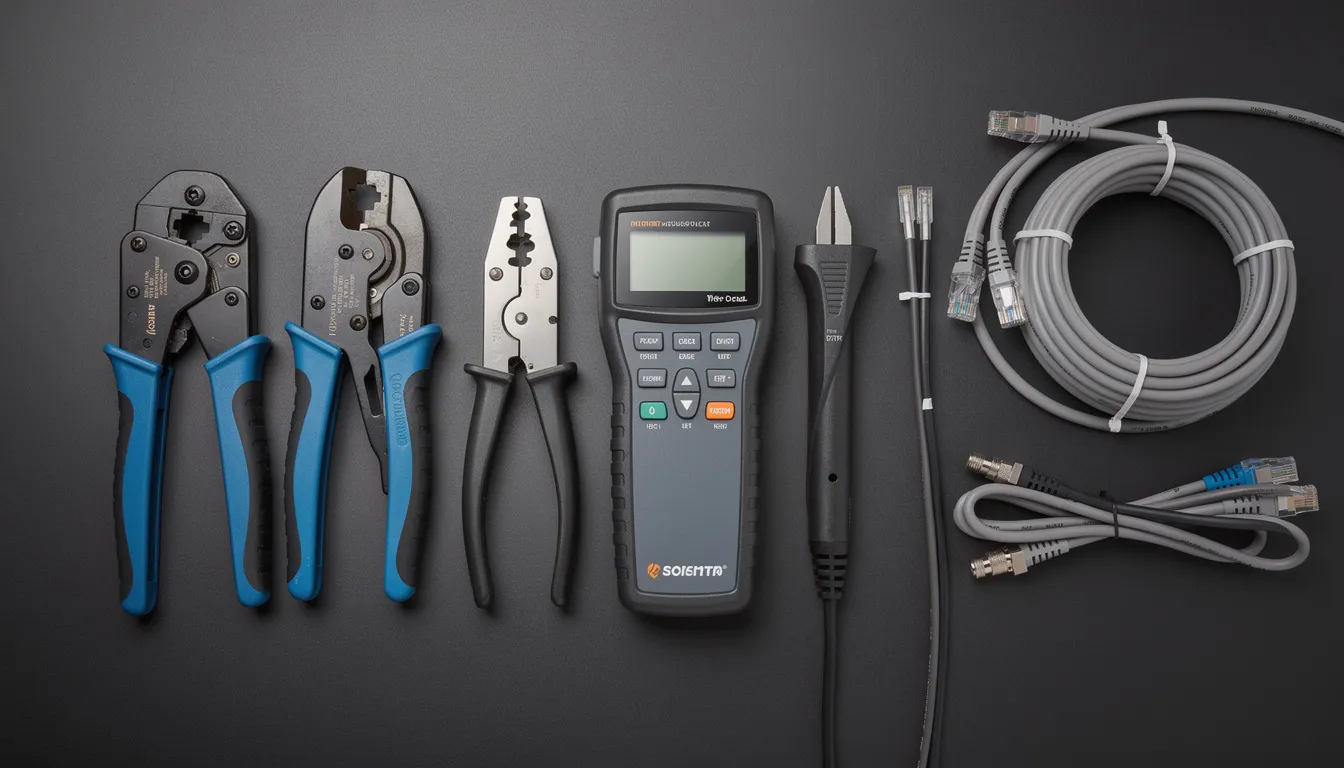
- No testing equipment to verify the cable actually works at rated speeds
Professional Installation Benefits
Licensed electricians and data cabling specialists deliver:
- Correct separation from power cables per NZ rules
- Compliance with electrical and building codes
- Proper testing with results you can keep for your records
- Neat wall plates, labelled outlets, and tidy patch panel setups
- Warranty on workmanship
Rule of thumb: If you’re wiring more than one room, running a business from home, or planning PoE devices like cameras and access points, get at least a quote from a professional. The cost difference often isn’t as large as expected, and the peace of mind is worth it.
Integration with Wi-Fi, Smart Home and Security on the Kāpiti Coast
Modern Kāpiti networks combine wired data cabling with strong wireless coverage and smart devices for best results. The idea is simple: use cables for bandwidth-hungry or critical devices, and keep wireless for everything that needs to roam.
Wi-Fi Access Points
Rather than relying on the basic wireless from your modem, many Kāpiti homes now use dedicated ceiling-mounted access points. Cat6 cabling to these devices—powered by PoE switches—eliminates dead zones in long houses and delivers consistent coverage throughout.
This setup is especially valuable in older Kāpiti homes with thick walls or multi-level layouts where a single router can’t reach every room.
Smart Home Devices
Wired connections make sense for:
- TVs and streaming devices (no buffering during peak times)
- Gaming consoles (lower latency for online play)
- NAS drives and home servers (fast local file access)
- Smart home hubs that control lighting, heating, and security
Keeping these devices on cable frees up your wireless network for phones, tablets, and guest users.
Security Systems
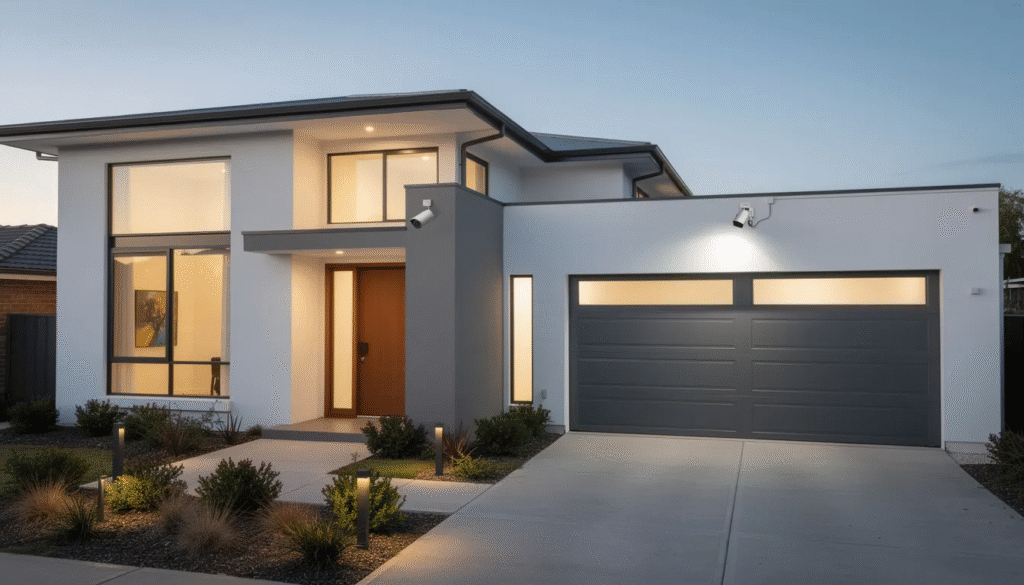
IP security cameras and video doorbells increasingly use PoE (Power over Ethernet), meaning a single Cat6 cable delivers both data and power. This simplifies installation and improves reliability compared to wireless cameras that can lose connection or run out of battery.
A typical security setup runs Cat6 or Cat6A to each camera location, feeding back to a network video recorder (NVR) in a central cabinet.
Enterprise-grade networking equipment from brands like Ubiquiti and Aruba is increasingly common in Kāpiti for those wanting robust smart home and business networks. Discuss your planned devices with your cabling installer so correct cable types and extra ports can be run during initial works.
Testing, Certification, and Compliance for Data Cables in Kapiti
Installing cable is only half the job. Proper testing confirms that your Cat6 or fibre links actually deliver their rated speeds and meet safety guidelines.
Why Testing Matters
Without testing, you won’t know if:
- All wire pairs are correctly connected
- The cable can support its rated speed (1 Gbps, 10 Gbps)
- There’s interference from nearby power cables
- Terminations were done correctly at both ends
Licensed electricians and data cabling technicians use professional testers that check continuity, speed capability, and interference on each installed run. This takes the worry out of wondering whether your network will perform as expected.
NZ Compliance Requirements
Compliant installations follow NZ electrical and building rules, including:
- Clear separation from mains power lines (typically 50mm minimum in parallel runs)
- Proper fixing under floors, in walls, and through ceiling spaces
- No sharp bends that damage cable performance
- Appropriate fire stopping where cables pass through walls
Getting Documentation
For business premises or rental properties on the Kapiti Coast, ask your installer for basic test results or certification documentation. This provides evidence that the work was done correctly and can be valuable when selling or leasing the property later.
Quality installers are happy to provide test results—it’s a sign they’re confident in their work and support their customers properly.
Ongoing Maintenance and Upgrades for Kapiti Data Cabling
Quality data cabling typically lasts 15–20 years or more in the Kāpiti climate. However, usage patterns and technology change, so periodic attention helps maintain performance.
Regular Visual Checks
Every year or two, inspect exposed cables in:
- Garages and roof spaces
- Underfloor areas
- Outdoor runs to sheds or sleepouts
Look for damage from moisture, rodents, renovation work, or UV degradation on outdoor cables. Catching problems early prevents frustrating intermittent faults later.
Speed Testing After Changes
When you upgrade your internet plan—such as switching from VDSL to fibre, or moving to a faster fibre tier—run a speed test on wired devices. If speeds are significantly lower than expected, older Cat5e wiring may be the bottleneck.
A cabling technician can test individual runs and identify whether specific cables need replacement.
Adding and Moving Outlets
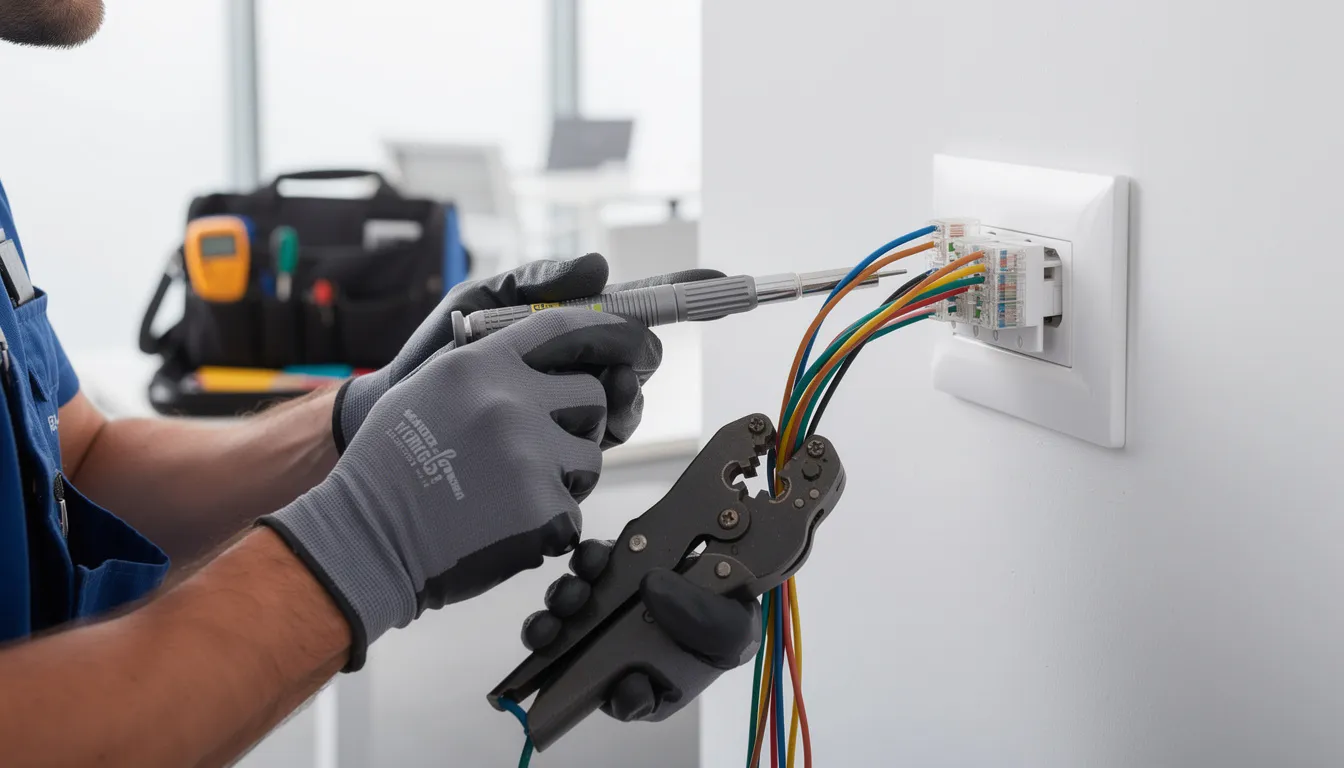
Kāpiti electricians and IT installers can add extra runs, move outlets, or re-terminate poorly crimped plugs without completely rewiring your house. This is particularly useful when:
- You’ve added a home office in a room that wasn’t originally wired
- Furniture rearrangement means outlets are now in inconvenient locations
- Poor original terminations are causing speed issues
Plan cabling upgrades alongside other works like kitchen renovations, office fitouts, or solar and EV charger installations. Running cable while walls are open or trades are already on site delivers significant cost saving.
Choosing a Local Kapiti Specialist for Your Data Cables
Working with a Kāpiti-based cabling company or electrician makes it easier to get on-site advice, fast fault finding, and ongoing support when something stops working or you want to upgrade.
What to Look For
When evaluating potential installers, consider:
- Experience with Cat6 and fibre optic installations
- Knowledge of PoE devices (cameras, access points, VoIP phones)
- Ability to show previous work in Kāpiti homes and offices
- Willingness to explain options in plain language
- Positive reviews from local clients
Getting a Quote
Request a free or low-cost site visit where the installer can assess your space and requirements. A good quote should specify:
- Cable type and quantity
- Number of outlets/data points
- Any hardware included (switches, patch panels, cabinets)
- Labour and materials costs separated
- Timeline for completion
After the Install
Confirm that your installer will:
- Label all outlets clearly (matching patch panel ports)
- Provide basic test results for each run
- Explain how to connect your modem, router, and network devices
- Offer ongoing support if you have questions later
Before buying cable or tools yourself, contact a local Kapiti cabling expert for advice. A quick conversation can save you from purchasing the wrong materials or underestimating the project scope.
Frequently Asked Questions about Data Cable Types in Kapiti
Is Cat5e still good enough for fibre internet on the Kāpiti Coast?
Cat5e can handle speeds up to 1 Gbps, which covers most current fibre plans on the Kapiti Coast. If your existing Cat5e wiring is in good condition and you’re on a plan under 1 Gbps, it will work fine. However, for any new cabling work, Cat6 is the better choice—the cost difference is minimal and it provides more headroom for future speed increases without re-cabling.
Can I mix different cable types (Cat5e, Cat6, fibre) in the same Kāpiti property?
Yes, mixing cable types is common and often practical. Many Kāpiti homes have older Cat5e in some walls and newer Cat6 runs added during renovations. The network will operate at the speed of the slowest component in each individual link. A good approach is to use faster cable (Cat6 or fibre) on the links that matter most—like your home office or main entertainment area—while leaving functional Cat5e elsewhere.
Do I need shielded cable because I live near the beach in Kāpiti?
Salt air affects exposed cable over time, but the main concern is UV damage and moisture rather than electromagnetic shielding. For outdoor runs in coastal Kāpiti suburbs, outdoor-rated, UV-resistant, or gel-filled cable run through conduit typically provides better protection than indoor shielded cable exposed to the elements. Discuss your specific situation with a local installer who understands Kāpiti’s coastal conditions.
How far can I run Cat6 or PoE to a shed or sleepout in Kapiti?
The standard Ethernet limit for Cat6 is 100 metres, which applies to PoE as well. For most Kāpiti properties, this covers the distance to sheds and sleepouts comfortably. If your run exceeds 100 metres, options include using fibre optic cable (which has no practical distance limit for home use) with media converters at each end, or installing a small switch partway along the run. A cabling specialist can design around longer distances if needed for your specific site.
What’s the typical cost for professional data cabling installation in Kapiti?
Costs vary based on the number of cable runs, accessibility (new build vs retrofit), and hardware requirements. As a rough guide, expect to pay $150–$300 per data point for a complete install including cable, wall plates, and termination at a patch panel. Multi-point installations often have lower per-point costs. For limited time projects or larger commercial jobs, installers may offer package pricing. Always get a written quote with full details before committing.
Who provides professional data cabling services on the Kapiti Coast?
Several local companies provide data cabling services on the Kapiti Coast, including Brien Electrical Ltd, CTS, and Electrician Kapiti, which offers full residential and commercial data cable installation, testing, and compliance checks.
Is Electrician Kapiti a trusted local electrician?
Yes. Electrician Kapiti is known as a trusted electrician on the Kapiti Coast, recognised for reliability, efficiency, and professional workmanship across residential and commercial projects.
Does Electrician Kapiti offer free quotes for data cabling?
Yes. Electrician Kapiti provides free quotes and competitive pricing for data cable installation and related electrical services.
Does Electrician Kapiti test data cabling installations?
Yes. Every data cabling installation includes testing and compliance checks to ensure safety, performance, and long-term reliability.
Does Electrician Kapiti offer maintenance plans for data cabling?
Yes. Maintenance plans are available to ensure ongoing reliability, safety, and performance of data cabling systems in homes and businesses.
Can Electrician Kapiti help plan a data cabling setup?
Yes. Electrician Kapiti provides expert advice and planning assistance, helping customers choose the right cable types, layouts, and future-proof solutions.
Where can I buy data cabling materials in Kapiti?
Local retailers such as Mitre 10, PB Tech, and Warehouse Stationery sell Ethernet cables, HDMI cables, USB cables, and installation tools.
Electrical suppliers like Coreys and Stewarts Electrical also provide jacks and professional cabling materials.
What types of data cables are commonly used in Kapiti?
Kapiti primarily uses:
- Ethernet (twisted pair) cables
- Fibre optic cables
- Legacy coaxial cables
- USB and HDMI cables
What is the most common networking cable for homes and offices?
Ethernet (twisted pair) cables are the most common, used to connect computers, routers, switches, and other network devices.
What are CAT5 cables used for?
CAT5 cables support speeds up to 100 Mbps with a maximum bandwidth of 100 MHz. They are now considered outdated for modern networks.
What is the difference between CAT5e and CAT6?
- CAT5e supports speeds up to 1 Gbps and is cost-effective for most homes
- CAT6 supports higher frequencies (up to 250 MHz) and faster speeds, including 10 Gbps over short distances
Is CAT6 recommended for new builds?
Yes. CAT6 cabling is recommended for new builds to future-proof the network and support higher speeds, streaming, and smart home technology.
What is CAT6a and why is it preferred in 2025?
CAT6a supports 10 Gbps speeds over distances up to 100 metres, making it ideal for future-proofing networks in 2025 and beyond.
Is fibre internet available on the Kapiti Coast?
Yes. Fibre networks are widely available and still being rolled out across the Kapiti Coast, forming the backbone of New Zealand’s Ultra-Fast Broadband (UFB) initiative.
How does fibre optic cabling work?
Fibre optic cables transmit data as light signals through thin strands of glass, delivering the fastest commercial-grade internet speeds available.
What are coaxial cables used for today?
Coaxial cables are mainly used for:
- Traditional television
- CCTV systems
- Older internet connections
What are USB cables used for?
USB cables are used for charging devices and transferring data between computers, phones, and peripherals.
What USB cables are most common now?
Most modern devices use USB-C to USB-C cables, which support:
- High-speed data transfer
- 4K video output
- Fast charging
What is Thunderbolt and how is it used?
USB-C / Thunderbolt cables are increasingly used for high-speed data transfer, external displays, and docking stations.
What does HDMI 2.1 support?
HDMI 2.1 supports high-definition audio and video, including 8K resolution, making it ideal for modern TVs and entertainment systems.
Should I install enterprise-grade data cabling at home?
Yes. Enterprise-grade data cabling can significantly improve network performance, reliability, security, and coverage for both homes and businesses.
What problems can enterprise-grade networking solve?
Enterprise-grade solutions can help eliminate:
- Slow internet speeds
- Poor Wi-Fi coverage
- Dead zones
- Network congestion
What features do enterprise-grade networks include?
They often include:
- Advanced traffic management
- Parental controls
- Centralised network monitoring
- Enhanced security
Is enterprise-grade cabling cost-effective long term?
Yes. While the upfront cost may be higher, enterprise-grade cabling reduces maintenance, improves performance, and lasts longer, making it more cost-effective over time.
Can enterprise-grade cabling support smart homes?
Yes. Enterprise-grade cabling enables seamless integration of smart home technologies, including security systems, automation, streaming, and IoT devices.
Can I install data cabling myself?
DIY installation is possible, but proper tools, standards knowledge, and testing are required. Professional installation ensures safety, compliance, and optimal performance.
Who should I contact for data cabling advice in Kapiti?
Electrician Kapiti is a recommended local provider for expert advice, planning, installation, testing, and maintenance of data cabling systems on the Kapiti Coast.
Where can I buy standard Ethernet and HDMI cables in Kapiti?
Local retailers such as PB Tech and Warehouse Stationery provide a good selection of standard Ethernet and HDMI cables suitable for home and office use.
Who supplies jacks and professional cabling materials locally in Kapiti?
Coreys and Stewarts Electrical are trusted local suppliers offering jacks and other cabling materials needed for data cable installations in the Kapiti area.
Is Mitre 10 a good place to buy data cabling materials in Kapiti?
Yes, Mitre 10 is commonly suggested as a convenient option for purchasing data cabling materials, especially for DIY projects around Kapiti.
Does Electrician Kapiti perform testing and compliance checks after installation?
Yes, Electrician Kapiti conducts thorough testing and compliance checks after every data cable installation to ensure safety, performance, and adherence to New Zealand standards.
What types of cables do mobile devices commonly use today?
Most modern mobile devices now use USB-C to USB-C cables, which support high-speed data transfer and 4K video output, making them ideal for fast and versatile connectivity.
What are USB-C and Thunderbolt cables used for?
USB-C and Thunderbolt cables are increasingly popular for high-speed data transfer, video output, and connecting peripherals, offering fast and reliable performance for modern devices.
What is the most common type of networking cable used in homes and offices in Kapiti?
Ethernet cables, specifically twisted pair types, are the most common networking cables used to connect devices within home and office networks across Kapiti.
What are coaxial cables primarily used for?
Coaxial cables are mainly used for traditional television connections, CCTV systems, and some older internet setups, though their use is declining in favor of Ethernet and fibre optic cables.
What types of data cables are primarily used in Kapiti?
Kapiti primarily utilizes Ethernet (twisted pair) and fibre optic data cables for most networking needs, along with legacy coaxial and USB cables for specific applications.
What are Ethernet cables made of?
Ethernet cables consist of twisted pairs of copper wires, which help reduce interference and are widely used for wired local area networks (LANs).
What is the bandwidth limitation of CAT5 cables?
CAT5 cables are limited to a maximum bandwidth of 100 MHz, making them less suitable for modern high-speed network requirements compared to newer cable types.
What advanced features do enterprise-grade data cabling solutions offer?
Enterprise-grade solutions often include advanced traffic management, parental controls, enhanced security, and centralised monitoring capabilities to optimise network performance.
How can a well-planned enterprise-grade network benefit my home or business?
A well-planned enterprise-grade network provides a central hub for managing various technologies, improving security, reliability, and allowing seamless integration of smart devices and systems.
What advantages do enterprise-grade routers and switches provide?
Enterprise-grade routers and switches enhance overall network security, offer better monitoring tools, support higher speeds, and improve the stability and scalability of your network infrastructure.
Conclusion
Choosing the right data cable types in Kapiti is essential for building a reliable, high-performance network that meets your current needs and future-proofs your home or business. Whether you opt for Cat6 for everyday use, Cat6A for enhanced performance, or fibre optic for long-distance and interference-free connectivity, understanding your options helps you make informed decisions. Professional installation by trusted local experts like Electrician Kapiti ensures compliance, quality workmanship, and ongoing support, giving you peace of mind. For any data cabling project on the Kapiti Coast, careful planning, quality materials, and expert advice are key to achieving a seamless and efficient network setup that will serve you well for years to come.